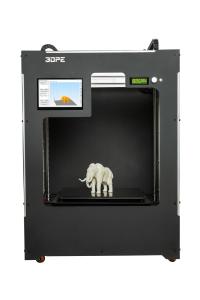
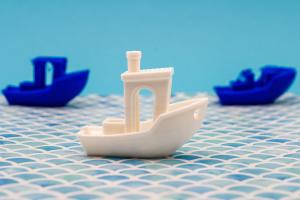
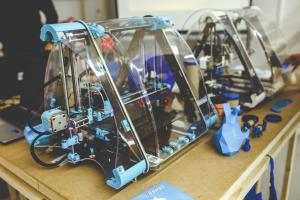
Once you have your 3D printer, it's time to dive into slicing software. This is where the magic starts. Slicing software takes your 3D model and converts it into instructions your printer can understand. Don't worry if you're not tech-savvy; most software is user-friendly and offers plenty of tutorials to help you learn.
Before you hit that print button, always choose the right filament. There’s a variety of options, like PLA, ABS, and PETG. PLA is a great starting point since it’s easy to work with and comes in fun colors. Just make sure your printer can handle the type you choose!
Finally, don’t be afraid to experiment. 3D printing is all about trial and error. Your first few prints might not be perfect, but that's part of the learning curve. Join online communities or forums where you can share your experiences and get tips from others. You'll be surprised at how helpful it can be!
Types of 3D Printers Explained
When diving into the world of 3D printers, it helps to know the main types available. Each type has its unique features and benefits, so the right choice depends on what you plan to create. Let’s break it down.
First up, we have FDM (Fused Deposition Modeling). This is the most common type you’ll encounter, especially for beginners. FDM printers work by melting plastic filament and layering it to build your model. They're super user-friendly, affordable, and great for everything from prototypes to fun projects. You’ll find a range of options, from compact machines for home use to larger models for serious hobbyists.
Next is SLA (Stereolithography). These printers use a laser to cure resin into hard plastic, layer by layer. SLA printers offer amazing detail and smooth finishes, making them perfect for jewelry, miniatures, and intricate designs. They can be a bit pricier, and the resin can smell, but the results are often worth it if you need precision.
Then we have SLS (Selective Laser Sintering). This type uses a laser to fuse powder, creating strong and durable objects. SLS printers are great for functional parts, especially in industries like aerospace and automotive. They typically come with a higher price tag and require some technical know-how, but if you need robust, high-quality parts, they shine.
Lastly, there are PolyJet printers. These are known for their incredible versatility and ability to create multi-material parts. They spray layers of liquid resin, which are cured with UV light. Ideal for prototypes that need various textures or colors, PolyJet printers can easily handle complex designs. Although they can be on the expensive side, their capabilities make them a go-to for professional applications.
Key Features to Look For
When diving into the world of 3D printers, you want to know what really matters. There are some key features that can make or break your printing experience. Let's break it down.
Print Quality: This is a biggie. Look for a printer that offers high resolution. Check the microns; lower numbers mean finer details. You want to create those amazing, intricate designs without a hitch.
Print Speed: Time is precious! Some printers zip through their tasks while others take their sweet time. If you plan on doing a lot of printing, speed can be a huge factor. Check the average print time and see what fits your needs.
Build Volume: Think about what you want to create. A bigger build volume gives you the freedom to make larger pieces or multiple items in one go. If you’re dreaming big, go for a printer that fits your vision.
Community and Support: Look for a printer that has a solid user community and great customer service. Whether you’re troubleshooting issues or finding creative inspiration, a helpful community makes all the difference.
Tips for Choosing the Right Printer
Choosing the right 3D printer can be a bit overwhelming with so many options out there. But don’t worry, I’ve got some tips to help you make the best choice!
First, think about what you want to print. If you’re into making models, a resin printer might be your best bet for fine details. On the other hand, if you're looking to create larger objects or prototyping, a filament printer is great for that. Knowing what you want to print will really narrow down your options.
Next, consider the printer’s build volume. This is how big the objects you can print can be. If you plan to make bigger items, look for a printer with a larger build area. Small printers are convenient, but they can limit your creativity!
Don't forget to check the printer's ease of use. Some models come fully assembled, while others require a bit of setup. If you’re just starting out, a beginner-friendly printer with user-friendly software can save you a lot of headaches. It should be a fun process, not a frustrating one!
Lastly, take a look at the community and support around the printer. A strong community means you can find plenty of help and ideas online. Plus, you’ll discover lots of tutorials and tips to improve your printing skills. Happy printing!